
7 Simple Rules That Keep My Desk Clutter-Free
Affiliate Disclosure
This post contains affiliate links. As an Amazon Associate, I earn from qualifying purchases at no extra cost to you. I only recommend products I genuinely use, love, or would happily buy myself.
Discover the seven simple rules that keep my desk clutter-free, the tools I actually use every day, and why productivity isn't about owning more, it's about choosing better.
There was a time when I thought becoming more productive meant buying another notebook. Or another planner. Or another set of pens that promised to finally get my life organized.
The result?
A desk full of things I barely used.
Over time, I realized the problem wasn't that I didn't have the right tools.
I simply had too many.
Today, my desk is surprisingly empty, and that's exactly how I like it.
Every item has earned its place. If something doesn't help me work better or make my workspace feel calmer, it doesn't stay.
These aren't the trendiest desk accessories or the latest productivity gadgets.
They're simply the tools that support the simple rules I follow every day.
Here are the seven rules that keep my desk (and my mind) a little less cluttered.
1. Keep Only the Daily Essentials
One of the simplest changes I made was deciding that my desk wasn't going to become a storage space.
If I don't use something regularly while I'm working, it doesn't need to live on my desk.
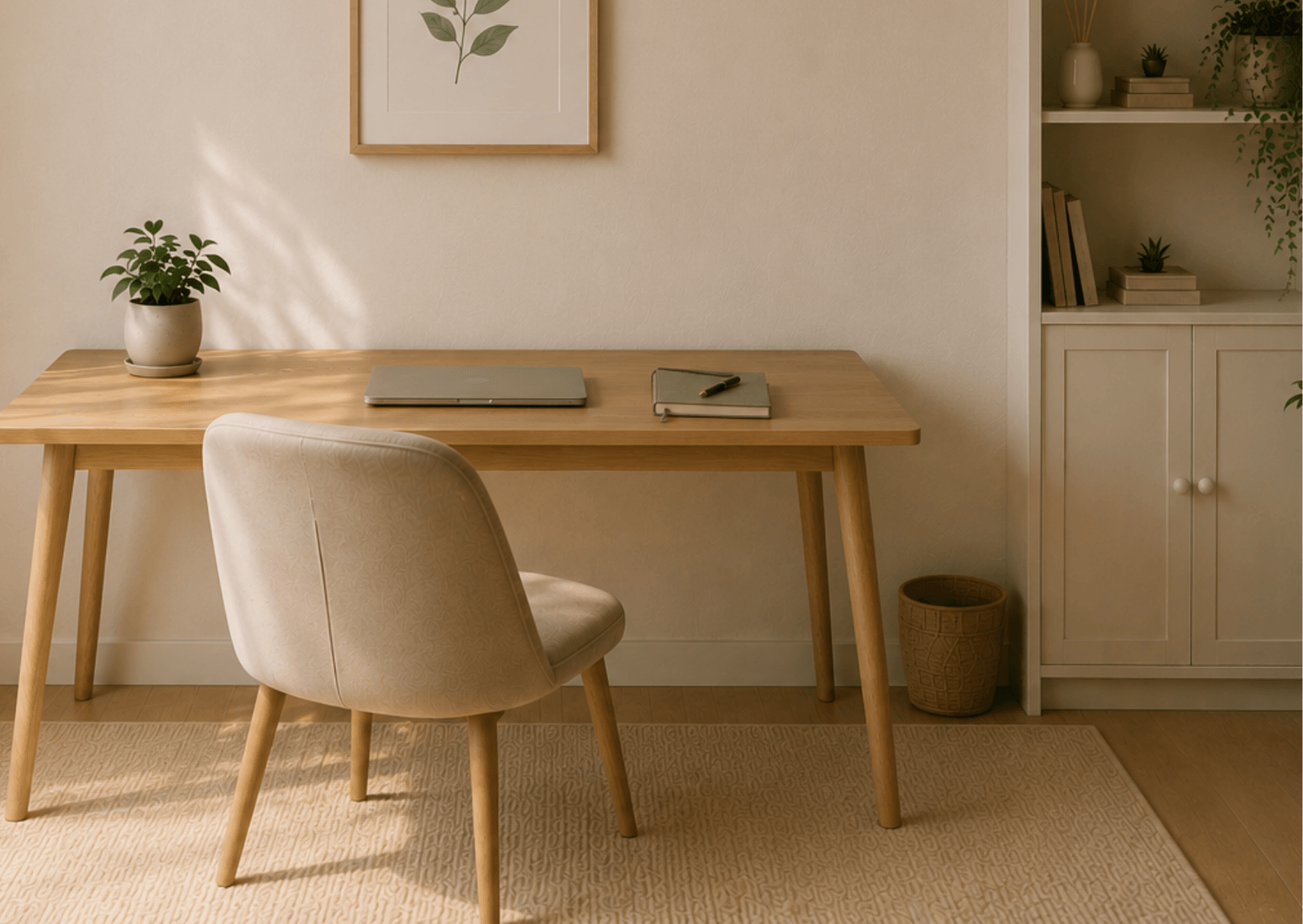
On most days, my desk holds only:
My laptop
A notebook
One pen
A glass of water or coffee
A small plant
That's it.
Having fewer things around me makes it much easier to sit down and start working. There's less visual noise and fewer things competing for my attention.
I'm also much more selective about the stationery I buy now. Instead of collecting notebooks, I'd rather have one that I genuinely enjoy using.
My favourite notebooks are from Leuchtturm1917. I've always loved the quality and simplicity of their products. I usually choose the sage green version because it's my favourite colour, and, as you can probably tell, it inspired my branding.
I keep things simple with just one pen: the Leuchtturm Drehgriffel.
The same rule applies to everything else on my desk:
I don't need more. I need a few things I actually use.
2. Give Everything a Home
One of the easiest ways for clutter to build up is when things don't have a specific place to go.
Pens end up next to the laptop. Papers pile up in a corner. Chargers stay on the desk because putting them away feels like too much effort.
I've learned that if something has a home, I'm much more likely to put it away.
I keep the things I use regularly close by, but not necessarily on my desk.
Pens, chargers, cables and other small items can live in a drawer, a small organizer or a box nearby.
The important thing isn't having the perfect organization system. It's simply knowing where something belongs when you're finished with it.
And I try to follow one very simple rule:
If it doesn't have a home, I either find one for it, or ask myself whether I really need to keep it.
It sounds almost too simple, but it stops those little piles from slowly taking over my workspace.
3. Keep Paper to a Minimum
Paper has a way of multiplying on a desk. A receipt here, a note there, something I printed because I thought I might need it later, and suddenly there's a pile.
I try to keep as much as possible digital now. If I need to keep a document, I scan it or save it in the right folder instead of leaving it on my desk.
For the things I do write down, I try to use one notebook rather than lots of loose pieces of paper. It gives my notes one place to live and means I'm not constantly searching for something I wrote down three days ago.
If a piece of paper does land on my desk, I try to make a decision about it quickly: File it, action it, or throw it away.
The less paper I allow to accumulate, the easier my desk is to reset at the end of the day.
4. Keep Cables and Tech Under Control
Nothing makes a desk look cluttered faster than cables.
Chargers, headphones and random cords have a habit of spreading across the desk, even when I'm not using them.
I try to keep only the cable I need connected and put everything else away. Chargers I use occasionally live in a drawer, and I keep the cables I use every day neatly together rather than letting them trail across the desk.
A magnetic cable holder keeps charging cables exactly where you need them. It's a small detail, but it makes your workspace feel much cleaner and more organised, especially if you work on a laptop or use several devices.
For me, the goal isn't to create one of those perfectly styled desks where you can't see a single wire. It's simply to make sure my technology doesn't take over my workspace.
The less visual noise around my laptop, the easier it is to focus on what's actually on the screen.
5. Keep Your To-Do List in One Place
Nothing creates mental clutter quite like having tasks scattered everywhere.
A note on my desk. A reminder on my phone. Something written on a Post-it. An email I've left unread because I'm afraid I'll forget about it.
I've found that the simpler my system is, the more likely I am to actually use it.
So instead of keeping little reminders all over my workspace, I try to keep my tasks in one trusted place.
For me, that's a notebook. I love the feeling of writing things down, and I find it helps me focus better.
But your trusted place might be a planner or a digital task manager, and that's perfectly fine. What matters isn't the tool you choose, but having one place you know you'll actually use.
It also means I don't need Post-it notes covering my desk or scraps of paper reminding me about things I might otherwise forget.
One place for my tasks means fewer things on my desk, and fewer things competing for space in my head.
6. Keep Your Digital Workspace Clear Too
A clear desk doesn't help much if I open my laptop and immediately feel overwhelmed by what's on the screen.
Too many browser tabs, files scattered across my desktop and an overflowing inbox can create just as much mental clutter as a messy workspace.
I try to regularly close tabs I no longer need, organize files into folders and delete downloads that are just taking up space.
I also unsubscribe from emails I never read instead of letting them pile up in my inbox.
I don't aim for a perfectly empty inbox or a beautifully organized computer. I just want my digital workspace to feel manageable.
For me, a clutter-free workspace isn't only about what I can see on my desk. It's also about what I see when I open my laptop.
7. Reset Your Desk Before You Finish Work
One habit has made more difference than almost anything else: resetting my desk before I finish work.
It only takes five minutes.
I put everything back where it belongs, throw away any unnecessary papers, take cups and glasses back to the kitchen, close anything I no longer need and give the surface a quick wipe.
It's a small thing, but I love coming back the next morning to a clear desk.
Instead of starting my day surrounded by yesterday's unfinished business, I get to start fresh.
Over time, this little reset has become part of the way I finish my workday. It signals that work is done and makes it easier to switch off.
And the next morning, there's nothing to organize before I can begin.
I can simply sit down and start.
Five minutes at the end of the day gives me a calmer start tomorrow.
A Clutter-Free Desk Doesn't Have to Be Perfect
My desk isn't always perfectly tidy.
There are busy days when the coffee cup stays longer than it should, papers appear, and things don't immediately make it back to where they belong.
That's normal.
The goal isn't to create a picture-perfect workspace. It's to create a space that makes it easier to do your work.
For me, that means fewer things, simple systems and a quick reset at the end of the day.
I've learned that I don't need more productivity tools or a perfectly styled office to feel organized.
Most of the time, I actually need less.
Less clutter. Less visual noise. Fewer things competing for my attention.
And a little more space to focus on what actually matters.
If your desk has been feeling a little overwhelming lately, don't try to reorganize everything at once.
Start with one thing.
Clear one pile. Put one item away. Close the tabs you don't need.
Sometimes a calmer workspace really does begin that simply.
Created with ©systeme.io